Transit and tickets
Train bookings, metro mini programs, attraction tickets, QR gates, and account prompts where the next action is unclear.
ChinaGate AI
Red Box Renderer
The answer appears directly on top of your original image.
Built for the China trip
Train bookings, metro mini programs, attraction tickets, QR gates, and account prompts where the next action is unclear.
Museum entries, restaurant waitlists, hotel check-in screens, visitor registration, and time-slot forms that need a clear next step.
Alipay, WeChat Pay, deposit prompts, confirmation dialogs, refund pages, and invoice choices before you tap.
Travel examples
These public examples show what ChinaGate AI is designed for: Chinese app screens, mini programs, bookings, payments, and travel forms where a visitor needs to know what to do next. No private user data is needed.
Guidance
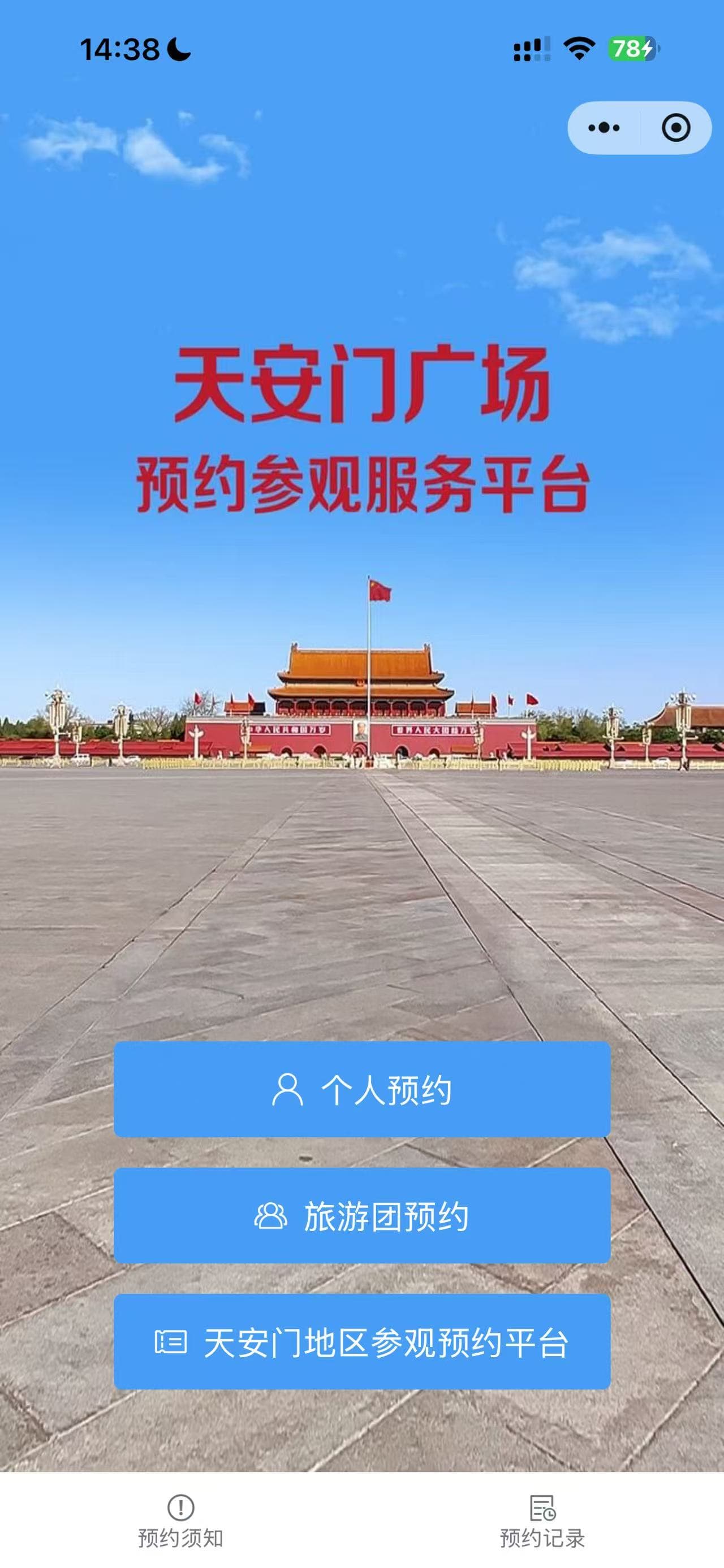
Tap the blue '个人预约' button to start an individual visit reservation.
This screen separates individual visitors from tour groups and regional reservation options. ChinaGate AI identifies the right entry point before the traveler taps the wrong path.
Guidance
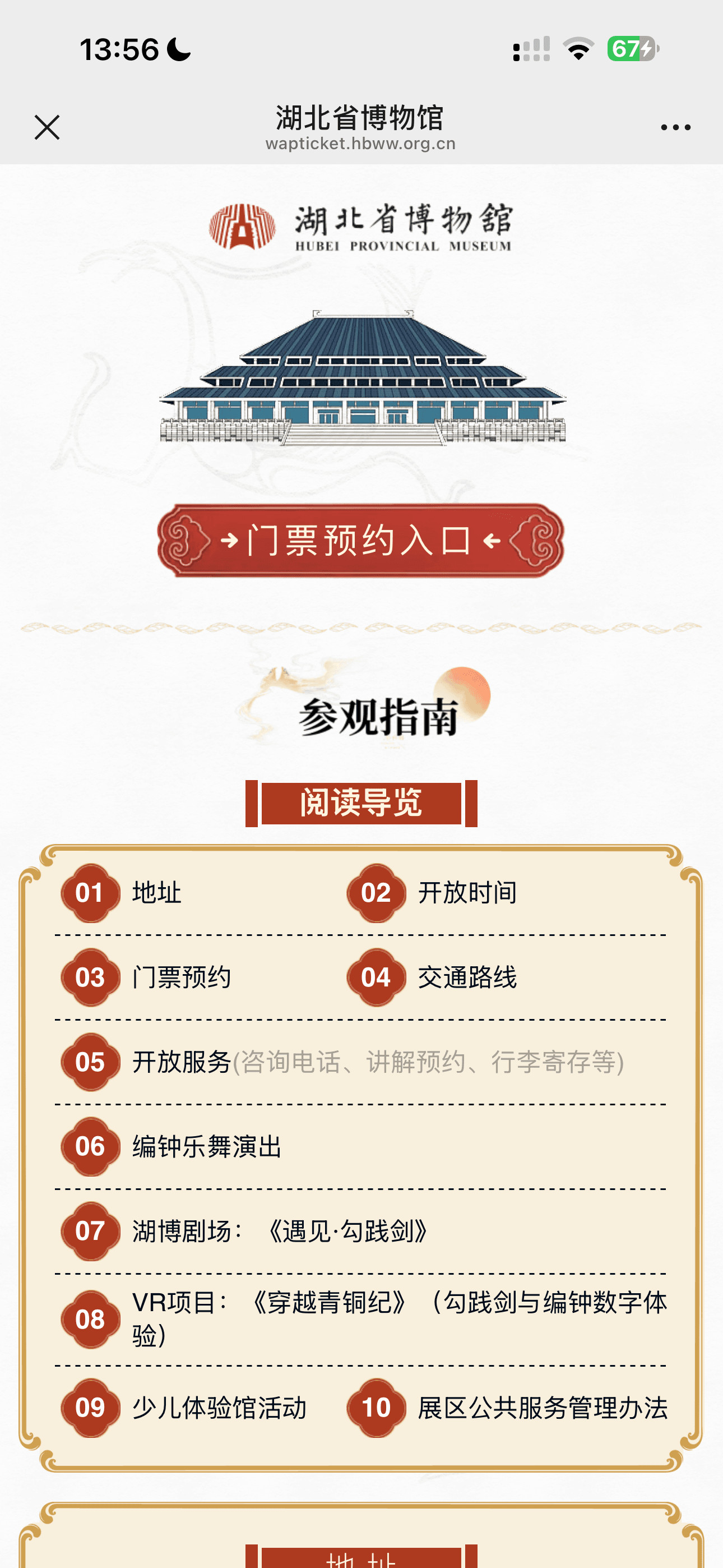
Tap the red '门票预约入口' button to enter the museum ticket reservation flow.
Chinese attraction pages often mix visitor guides, opening hours, transport, and booking links on one long page. The red-box highlight points to the action that starts the reservation.
Example screenshots are used to demonstrate interface guidance. ChinaGate AI is not affiliated with the apps, attractions, museums, or platforms shown.
Pricing
A simple travel support pass for people who need fast help with Chinese apps, mini programs, ticketing pages, forms, and payment screens when the next step is not obvious.
Web or Telegram
Upload the stuck screen
Read what to do next
Tap the highlighted area