Museum booking guide
China museum ticket booking help in English
A guide for travelers who need to find the real ticket booking entry on Chinese museum pages and mini programs.
The problem
Many Chinese museum pages combine visitor guides, opening times, transport notes, theatre listings, activity notices, and booking links. The actual ticket reservation entry may be only one button in a long page.
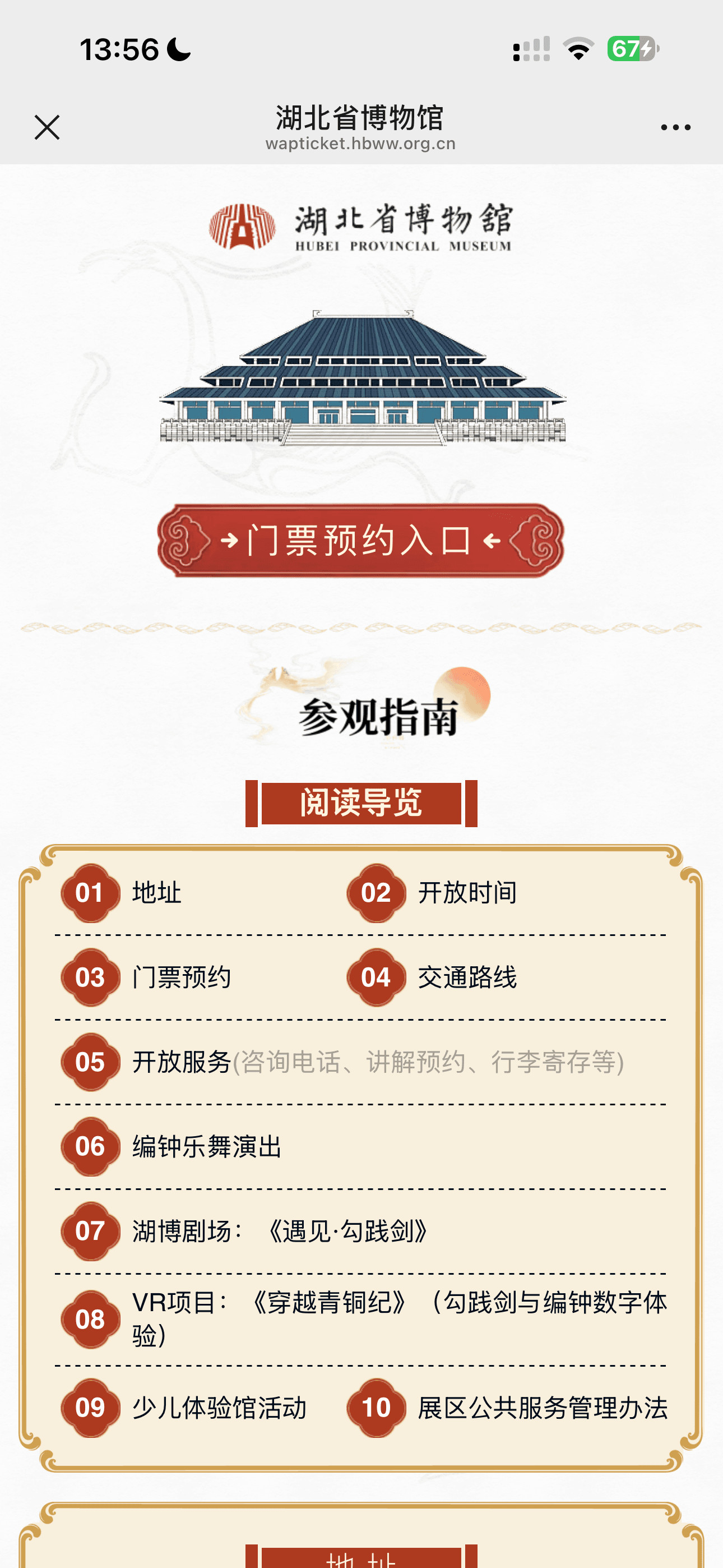
Real screenshot example
What the red box means
Example: on this museum page, the ticket reservation entry appears above the visitor guide sections.
What to do
- 1Screenshot the museum page before entering personal details.
- 2Upload it to ChinaGate AI for English guidance.
- 3Check whether the screen is a guide page, ticket entry, time-slot selection, or appointment record page.
- 4Use the highlighted button or the English explanation to continue in the official page.
Signs you are on this kind of screen
- Buttons or sections may mention ticket reservation, visit guide, opening hours, address, transport route, or appointment records.
- Some pages use decorative graphics that make automatic browser translation less reliable.
- Booking rules may appear below the first screen, so the page may need a screenshot of the relevant section.
Screens this guide covers
Important note
ChinaGate AI is independent and is not affiliated with the museums, ticketing systems, WeChat, or third-party platforms shown in examples.
FAQ
Can ChinaGate AI help with museum pages that are mostly images?
Yes. The product is designed for screenshot guidance, including pages where text appears inside custom mobile UI or image-heavy mini program screens.
Can it tell me if a museum is open today?
It can summarize visible opening-hour text in a screenshot, but for current schedules you should confirm on the official museum source.
Can it handle appointment records and ticket entries?
Yes. It can explain whether the screen appears to be a booking entry, an appointment record, a visitor guide, or a rule page.
Try it
Upload a Chinese museum ticket page screenshot and ask ChinaGate AI which entry starts the reservation.